How to Use Shared Parking Spaces and What to Watch When Parking
Shared parking lets car owners offer unused spaces to others, while users can book a space for a short period as needed. The process covers booking, confirmation, parking and departure, and each step affects the experience and the allocation of responsibility. This article explains the basic way to use shared spaces, the information to check before booking, and the considerations for location and size when parking, for readers preparing to use a shared space.
By: 共駕 Editorial Team Published Reading time: about 7 min
Basic Ways to Use Shared Parking
Shared parking is usually offered through an online platform or mobile app. Car owners list their unused spaces with the location, available times and basic conditions; users search for nearby spaces on the platform, choose a suitable time slot and complete the booking. Once the booking is confirmed, the platform generally sends confirmation details, including the space's location, access arrangements and any contact information. Users should review these details before setting off so they are not caught out on arrival.
Details vary between platforms, but the process generally involves four steps: search, selection, payment and confirmation. Some spaces have gates or access codes, and users need to follow the instructions to get in. If the space is inside a large residential or commercial building, you may need to notify the management office in advance or complete a visitor registration. Getting familiar with these basic steps can reduce the time spent looking for the entrance on site.
In addition, the conditions for using a shared space are set by the car owner or the platform, such as which vehicle types may park, maximum durations and cancellation rules. Users should treat these terms as the basis for use before they park, not as extra material to look up afterwards. If you have questions about the terms, raise them with the platform before booking to get a clear answer.
Information to Check Before Booking
Before booking, first confirm that your vehicle meets the space's requirements. Spaces usually state the types of vehicle they accept or the maximum size, and if your car exceeds that limit it may not fit, or it may block other spaces. Users should also check that their licence plate number has been registered on the platform, as some spaces only admit registered vehicles.
Next, make sure the booked time slot matches your actual schedule. Shared spaces usually have clear start and end times; if you arrive early or leave late, you may need to make other arrangements or pay extra. Allow a reasonable buffer, and note how the platform handles extensions or early departures.
Finally, read the payment and cancellation terms. Some platforms charge at the time of booking, and cancellation deadlines and refund methods vary. Users should understand these arrangements clearly and keep their booking records, so they have a basis for reference if they need to query or resolve an issue later.
- Check that the vehicle type and size meet the space's requirements
- Confirm the licence plate number is registered on the platform
- Check that the booked time matches your actual schedule
- Read the payment and cancellation and refund terms
- Keep the booking confirmation for future reference
Location and Size Considerations When Parking
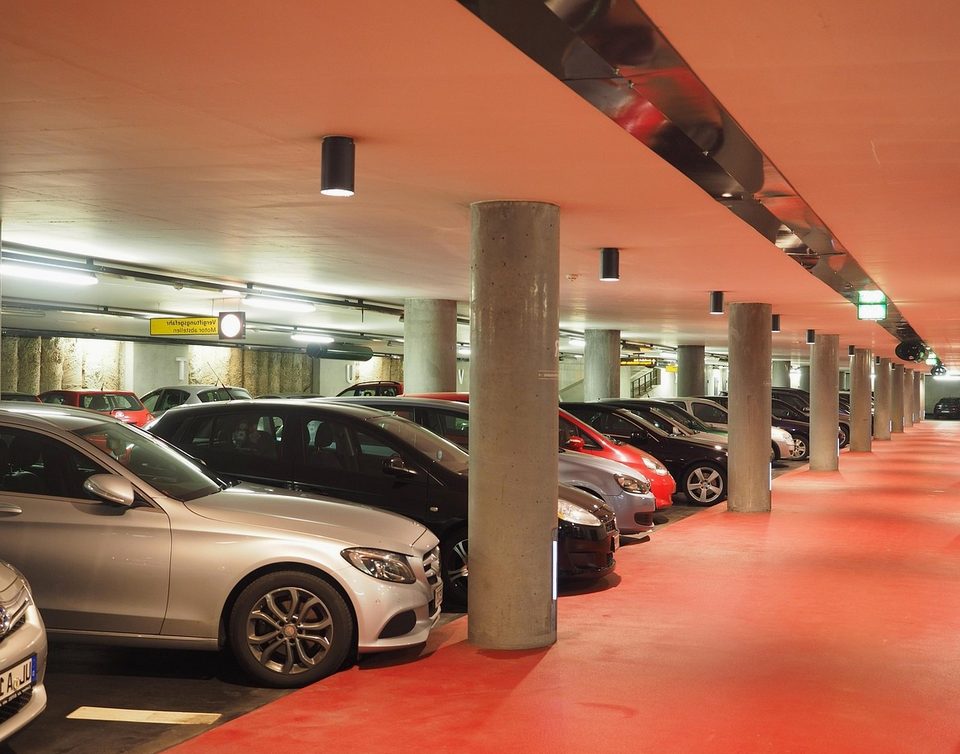
When parking, first pay attention to the location of the space and its surroundings. The space may be at ground level, in a basement or at a specific spot in a surface car park, and the direction of the entrance and the room to turn will affect how difficult it is to drive in. Before entering, check the location map or photos provided by the platform, get an initial sense of the space's actual conditions, and plan your route in advance.
On size, besides length and width, height is also worth considering, especially in basements or places with barrier gates. Leave enough distance between the vehicle and the space's boundary lines so you can open the doors and let passengers get in and out. If there are pillars, walls or other obstacles beside the space, park with extra care and avoid scraping nearby vehicles or facilities.
You should also follow the parking direction and boundary markings. Some spaces restrict the direction the front of the car faces or require reverse parking, and if you ignore this it may make entering and leaving less efficient. Once parked, check again that the vehicle is fully within the boundary lines and that it does not block a passage or an adjacent space.
Arrival, Departure Times and Management Rules
Entry and exit times and management rules are the part of using a shared parking space that users most often overlook. Each space's opening hours, earliest entry and latest exit times are usually listed on the booking page or in the space details, so users should check each one before setting off. If there is a chance the journey will be delayed, it is better to change the booking through the app as early as possible rather than waiting until the time slot has ended. Arriving early is usually not a breach in itself, but you should still check whether you are allowed to enter, so that you do not take up another user's time slot.
Management rules generally cover the entry method, vehicle registration, how parking areas are marked, and restrictions on vehicle type or height. Some spaces have gates, remote-opening devices or dedicated access cards, so check how each works before use and keep the relevant credentials safe. If the rules do not match what you find on site, keep photos and timestamps and check through the app or service channels rather than making your own adjustments. Following the rules protects your own right to use the space and helps the whole sharing system run in an orderly way.
Overstays should be dealt with as quickly as possible. Users can first read the terms of service on extensions, penalties and charges, then decide what to do based on the instructions. If an unexpected situation means you cannot leave on time, keep any supporting evidence and contact platform customer service promptly to explain the reason. Understanding the rules reduces unnecessary disputes and makes every use more predictable.
Responsibilities during use of the space
The scope of responsibility during use should follow the terms you agreed to when booking. In general, users must make sure the vehicle is parked properly, does not obstruct other vehicles or pedestrians, and should not carry out repairs, washing or other activities unrelated to parking inside the space. If the vehicle is damaged, property is lost or a collision occurs during use, report it through the procedure set out in the terms and provide the necessary photos and description. Where a third party is involved, deal with it in accordance with the law and insurance arrangements.
While the vehicle is parked, users should also pay attention to the condition of the space itself. If you notice oil stains on the ground, a faulty gate or poor lighting, take photos and notify the platform right away so it can be recorded. Do not move anything or alter the facilities yourself. Fulfilling these responsibilities reduces your personal risk and gives the next user a good experience.
You should also look after your belongings in the vehicle yourself. Avoid leaving valuables or conspicuous items in the car and make sure the doors are locked. If the space is in a public area, be mindful of safety in the surroundings. If you have questions, consult the platform's user guide or contact the relevant authorities.
- Check the space's opening hours and entry method before parking
- Confirm that your vehicle type and height meet the requirements
- Take photos and notify the platform promptly if you find damage or a fault
- Check doors, windows and personal belongings before leaving
- If your plans change, change your booking as early as possible
Checks to complete before leaving the space
Checking before you leave helps avoid disputes later. First, make sure the engine is fully switched off, take all your personal belongings with you, and look through the cabin and under the seats for anything left behind. Second, check the body of the vehicle and the space for new scratches, dents or other damage, and if you find any, take photos before you leave. Finally, make sure the doors are locked and the windows are closed, and check that the gate or payment system has completed the exit process correctly.
Once you have left, confirm in the app that the trip has ended and check that the bill matches your actual usage time. If you have a question about a charge, raise it within the period the platform specifies. Keeping a record of the whole visit, such as entry time, exit time and photos, can serve as a reference when needed. If you were unable to leave through the normal process, contact customer service as soon as possible rather than letting the problem build up.
These steps may seem minor, but they protect both parties effectively. Making a habit of checking each item before leaving reduces forgotten belongings, liability disputes and unnecessary extra charges. Next time you use a shared parking space, you may wish to run through the key points in this section again.
Key takeaways
-
Check timing Before use, confirm the space's opening hours, entry method and management rules, and change your booking promptly if your plans change.
-
Record conditions If you find damage to the space or vehicle during parking, take photos and report it according to the terms to clarify responsibility.
-
Exit check Before leaving, check the vehicle, your belongings and the doors, and confirm your trip and bill; if you have questions, raise them within the deadline.
This article provides general information only and does not constitute professional advice.